03 / Case study
MapMons
A Chrome extension for finding local businesses that need a better website.
I built MapMons for freelancers and small agencies. The Chrome extension was taken down in September 2026; this case study records the product, design and engineering work.
Visit project website- Year
- 2026
- Role
- Product design · Chrome extension development
- Built with
- TypeScript · Chrome MV3 · esbuild
The problem
What needed to work better.
Finding local website prospects often means opening listings one by one, checking whether each business has a site and keeping notes by hand. The useful signal is buried inside a repetitive research task.
What I built
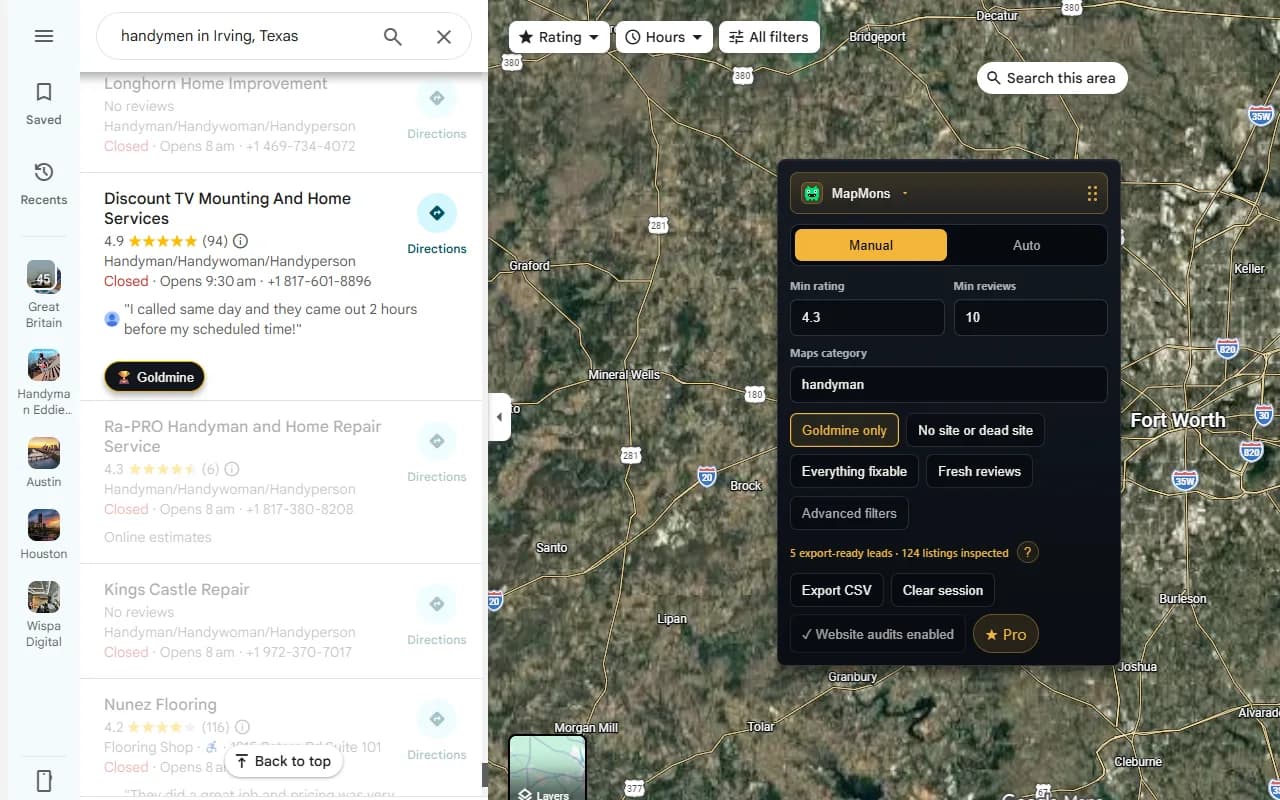
MapMons added a focused research panel to Google Maps. It classified visible listings, filtered promising leads, offered optional website checks and exported a deduplicated lead list.
Project evidence
My role, testing and next steps.
- Ownership and collaboration
- An independent product and engineering project, from definition and interface design through packaging and release preparation.
- Testing evidence
- Automated tests covered the extension. In a hand-checked sample of 39 sites, 37 classifications matched my expected labels.
- What I would improve next
- The extension was taken down in September 2026. This case study preserves the work and does not imply the extension is currently available.
Main areas
What I worked on.
- 01Google Maps lead filtering
- 02No-site, social-only and dated-site signals
- 03Optional local website audits
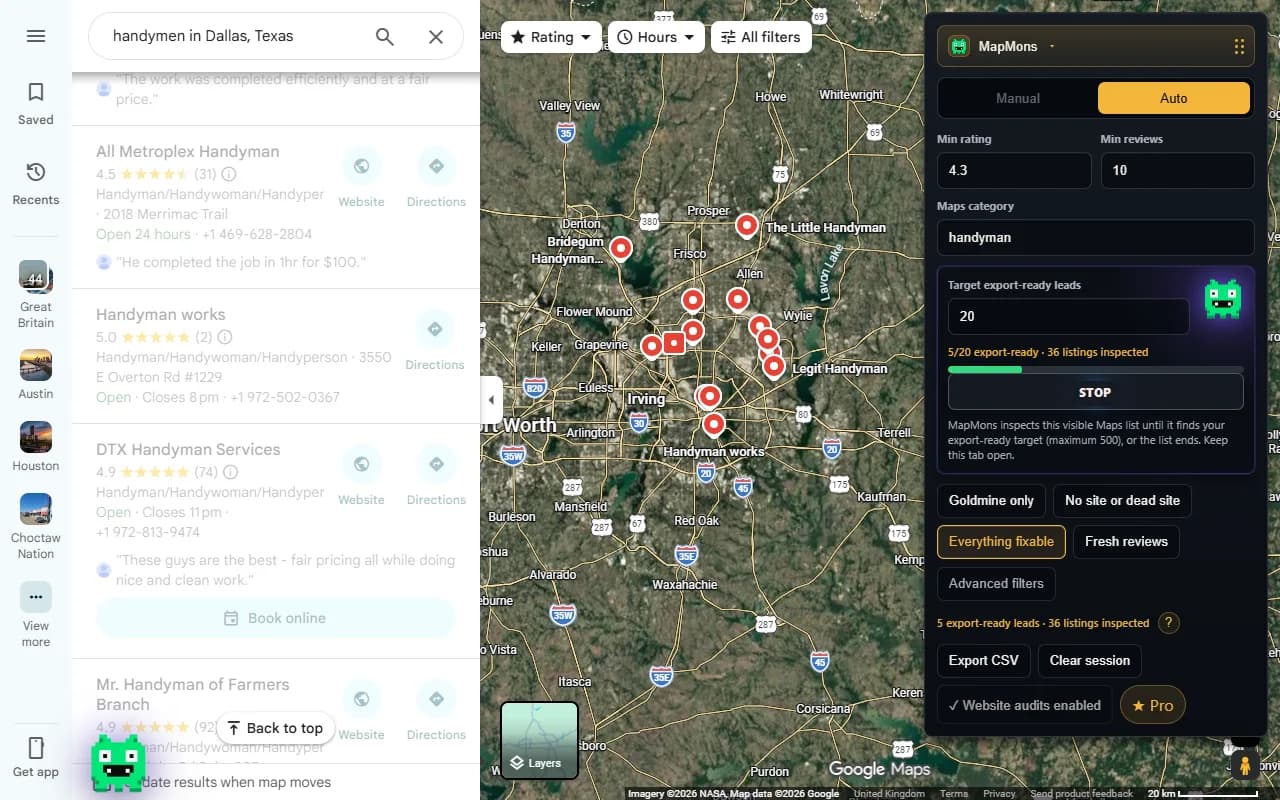
- 04Foreground Auto Hunt research
- 05CSV export with outreach context
- 06Privacy-led Chrome permissions
My role
Building and preparing a complete Chrome extension.
I worked from product definition through extension engineering, interface design, testing, packaging and the public website. The extension used vanilla TypeScript and Chrome Manifest V3, with a deliberately small build setup.
I also prepared the store listing, screenshots, privacy explanations and reproducible release package. That made browser permissions and user trust part of the product work, not just launch paperwork.
Key decisions
Keeping permissions and behaviour visible.
The free lead-finding mode only needed access to Google Maps. Website auditing asked for broader site access separately, when the user chose to run it, and that permission could be revoked.
Auto Hunt worked in the foreground on the visible Maps list. It kept the session deduplicated and stopped at a user-selected target instead of quietly scanning in the background.
The export includes practical lead context and local outreach openers. Optional AI polishing requires clear per-lead consent, while deterministic local openers still work when AI is unavailable.
How it works
Turning listings into a shortlist.
MapMons read the Google Maps results and identified businesses with no website, a social-only presence or a site that may need attention. Filters for ratings, reviews and business category kept the session focused.
With website audits enabled, it checked the homepage for clear, explainable issues such as missing mobile support or basic metadata. In a hand-checked sample of 39 sites, 37 classifications matched my expected labels.
What I learned
Designing for trust and privacy.
A Chrome extension sits close to a user’s browsing, so narrow permissions, visible behaviour and plain explanations matter. I learned to design the permission flow and failure states with the same care as the main feature.
The project also strengthened my TypeScript, browser API, testing and release skills. It showed me how to keep a useful product small while still handling privacy, paid features and edge cases properly.
Tools used